เอฟเฟกต์พิมพ์ข้อความด้วย JavaScript
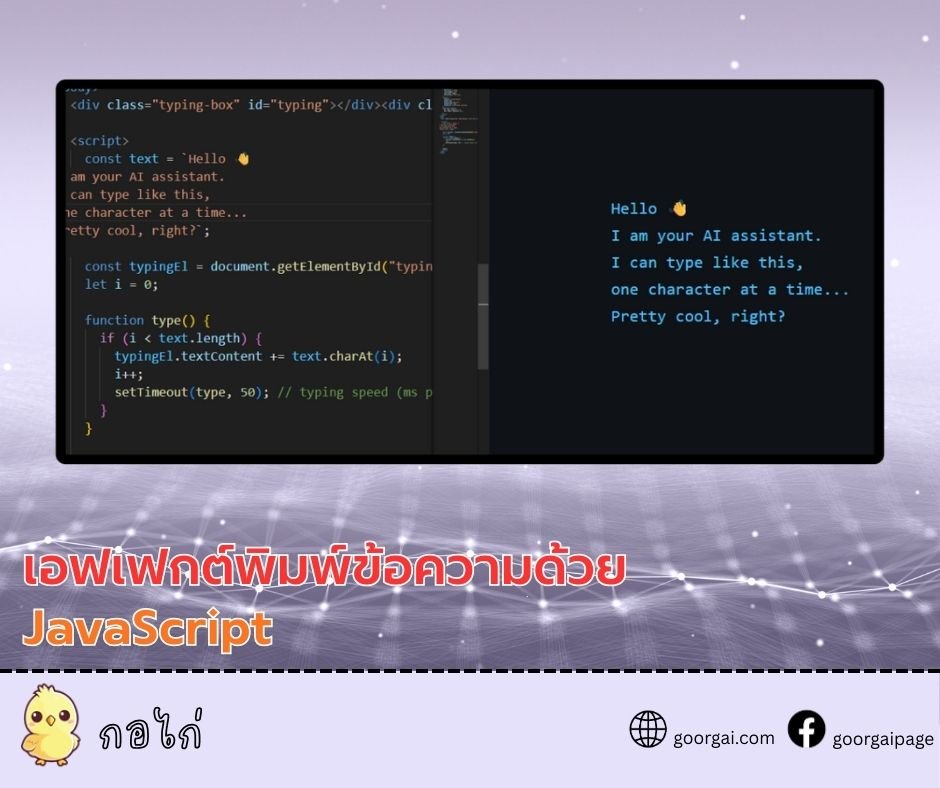
โค้ดนี้สร้างเอฟเฟกต์การพิมพ์ข้อความทีละตัวอักษรภายในองค์ประกอบ HTML ที่มี id="typing" โดยใช้ฟังก์ชัน type() ร่วมกับ setTimeout เพื่อจำลองการพิมพ์อัตโนมัติ ความเร็วในการพิมพ์สามารถปรับได้จากค่าหน่วงเวลา (เช่น 50 มิลลิวินาทีต่อหนึ่งตัวอักษร)
เหมาะสำหรับใช้ในหน้าเว็บที่ต้องการความน่าสนใจ เช่น แชทบอท หน้าแลนดิ้ง หรือข้อความต้อนรับแบบอินเทอร์แอคที
โค้ด CSSbody {
background: #0f1216;
color: #4cc2ff;
font-family: "Fira Code", monospace;
display: flex;
justify-content: center;
align-items: center;
height: 100vh;
margin: 0;
}
.typing-box {
font-size: 1.4rem;
line-height: 1.6;
max-width: 600px;
white-space: pre-wrap;
}
.cursor {
display: inline-block;
width: 8px;
background: #4cc2ff;
margin-left: 2px;
animation: blink 0.8s infinite;
}
@keyframes blink {
0%, 50% { opacity: 1; }
51%, 100% { opacity: 0; }
}<div class="typing-box" id="typing"></div><div class="cursor"></div>const text = `Hello 👋
I am your AI assistant.
I can type like this,
one character at a time...
Pretty cool, right?`;
const typingEl = document.getElementById("typing");
let i = 0;
function type() {
if (i < text.length) {
typingEl.textContent += text.charAt(i);
i++;
setTimeout(type, 50); // typing speed (ms per character)
}
}
type();
JavaScript Tutorial
2025-12-25 01:36:31