เอฟเฟกต์พลุด้วย JavaScript
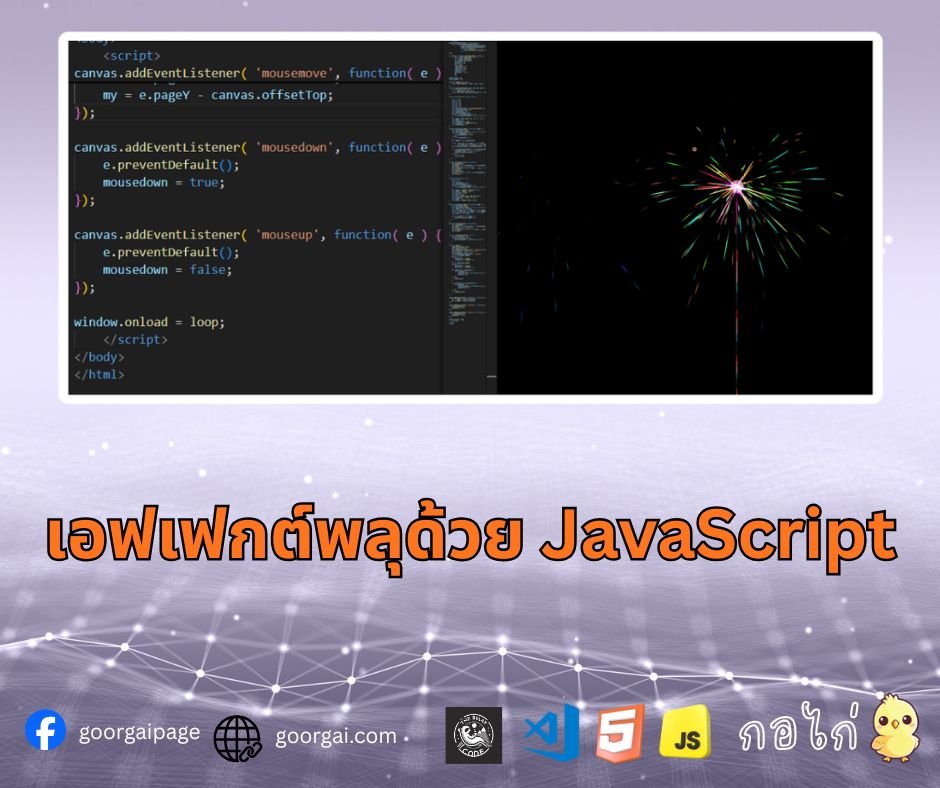
เอฟเฟกต์พลุบน Canvas โดยใช้ เพื่อให้การเคลื่อนไหวลื่นไหล มีการจำลองพลุพุ่งขึ้นไปยังเป้าหมาย และแตกออกเป็นอนุภาคที่กระจายตัว พร้อมการควบคุมด้วยเมาส์เพื่อยิงพลุเองได้
รายละเอียด- การตั้งค่า Canvas และ Animation – ใช้ requestAnimationFrame เพื่อให้การวาดภาพบน Canvas ทำงานต่อเนื่องและลื่นไหล
- คลาส Firework (พลุ) – จำลองพลุที่พุ่งจากจุดเริ่มต้นไปยังเป้าหมาย และเมื่อถึงเป้าหมายจะสร้างอนุภาคแตกกระจาย
- คลาส Particle (อนุภาค) – แทนเศษพลุที่แตกออกมา มีแรงเสียดทาน แรงโน้มถ่วง และค่อย ๆ จางหายไป
- ฟังก์ชัน Loop หลัก – ทำหน้าที่อัปเดตและวาดพลุ/อนุภาคทุกเฟรม พร้อมเคลียร์พื้นหลังให้เกิดเอฟเฟกต์ fade
- การควบคุมด้วยเมาส์ – ผู้ใช้สามารถคลิกหรือเลื่อนเมาส์เพื่อยิงพลุไปยังตำแหน่งที่ต้องการ
- ผลลัพธ์สุดท้าย – ได้เอฟเฟกต์พลุไฟที่แตกกระจายสวยงามแบบอินเตอร์แอคทีฟบนหน้าเว็บ
body {
	background: #000;
	margin: 0;
}

canvas {
	cursor: crosshair;
	display: block;
}<canvas id="canvas"></canvas>window.requestAnimFrame = ( function() {
return window.requestAnimationFrame ||
window.webkitRequestAnimationFrame ||
window.mozRequestAnimationFrame ||
function( callback ) {
window.setTimeout( callback, 1000 / 60 );
};
})();
var canvas = document.getElementById( 'canvas' ),
ctx = canvas.getContext( '2d' ),
cw = window.innerWidth,
ch = window.innerHeight,
fireworks = [],
particles = [],
hue = 120,
limiterTotal = 5,
limiterTick = 0,
timerTotal = 80,
timerTick = 0,
mousedown = false,
mx,
my;
canvas.width = cw;
canvas.height = ch;
function random( min, max ) {
return Math.random() * ( max - min ) + min;
}
function calculateDistance( p1x, p1y, p2x, p2y ) {
var xDistance = p1x - p2x,
yDistance = p1y - p2y;
return Math.sqrt( Math.pow( xDistance, 2 ) + Math.pow( yDistance, 2 ) );
}
function Firework( sx, sy, tx, ty ) {
this.x = sx;
this.y = sy;
this.sx = sx;
this.sy = sy;
this.tx = tx;
this.ty = ty;
this.distanceToTarget = calculateDistance( sx, sy, tx, ty );
this.distanceTraveled = 0;
this.coordinates = [];
this.coordinateCount = 3;
while( this.coordinateCount-- ) {
this.coordinates.push( [ this.x, this.y ] );
}
this.angle = Math.atan2( ty - sy, tx - sx );
this.speed = 2;
this.acceleration = 1.05;
this.brightness = random( 50, 70 );
this.targetRadius = 1;
}
Firework.prototype.update = function( index ) {
this.coordinates.pop();
this.coordinates.unshift( [ this.x, this.y ] );
if( this.targetRadius < 8 ) {
this.targetRadius += 0.3;
} else {
this.targetRadius = 1;
}
this.speed *= this.acceleration;
var vx = Math.cos( this.angle ) * this.speed,
vy = Math.sin( this.angle ) * this.speed;
this.distanceTraveled = calculateDistance( this.sx, this.sy, this.x + vx, this.y + vy );
if( this.distanceTraveled >= this.distanceToTarget ) {
createParticles( this.tx, this.ty );
fireworks.splice( index, 1 );
} else {
this.x += vx;
this.y += vy;
}
}
Firework.prototype.draw = function() {
ctx.beginPath();
ctx.moveTo( this.coordinates[ this.coordinates.length - 1][ 0 ], this.coordinates[ this.coordinates.length - 1][ 1 ] );
ctx.lineTo( this.x, this.y );
ctx.strokeStyle = 'hsl(' + hue + ', 100%, ' + this.brightness + '%)';
ctx.stroke();
ctx.beginPath();
ctx.arc( this.tx, this.ty, this.targetRadius, 0, Math.PI * 2 );
ctx.stroke();
}
function Particle( x, y ) {
this.x = x;
this.y = y;
this.coordinates = [];
this.coordinateCount = 5;
while( this.coordinateCount-- ) {
this.coordinates.push( [ this.x, this.y ] );
}
this.angle = random( 0, Math.PI * 2 );
this.speed = random( 1, 10 );
this.friction = 0.95;
this.gravity = 1;
this.hue = random( hue - 50, hue + 50 );
this.brightness = random( 50, 80 );
this.alpha = 1;
this.decay = random( 0.015, 0.03 );
}
Particle.prototype.update = function( index ) {
this.coordinates.pop();
this.coordinates.unshift( [ this.x, this.y ] );
this.speed *= this.friction;
this.x += Math.cos( this.angle ) * this.speed;
this.y += Math.sin( this.angle ) * this.speed + this.gravity;
this.alpha -= this.decay;
if( this.alpha <= this.decay ) {
particles.splice( index, 1 );
}
}
Particle.prototype.draw = function() {
ctx. beginPath();
ctx.moveTo( this.coordinates[ this.coordinates.length - 1 ][ 0 ], this.coordinates[ this.coordinates.length - 1 ][ 1 ] );
ctx.lineTo( this.x, this.y );
ctx.strokeStyle = 'hsla(' + this.hue + ', 100%, ' + this.brightness + '%, ' + this.alpha + ')';
ctx.stroke();
}
function createParticles( x, y ) {
var particleCount = 30;
while( particleCount-- ) {
particles.push( new Particle( x, y ) );
}
}
function loop() {
requestAnimFrame( loop );
hue= random(0, 360 );
ctx.globalCompositeOperation = 'destination-out';
ctx.fillStyle = 'rgba(0, 0, 0, 0.5)';
ctx.fillRect( 0, 0, cw, ch );
ctx.globalCompositeOperation = 'lighter';
var i = fireworks.length;
while( i-- ) {
fireworks[ i ].draw();
fireworks[ i ].update( i );
}
var i = particles.length;
while( i-- ) {
particles[ i ].draw();
particles[ i ].update( i );
}
if( timerTick >= timerTotal ) {
if( !mousedown ) {
fireworks.push( new Firework( cw / 2, ch, random( 0, cw ), random( 0, ch / 2 ) ) );
timerTick = 0;
}
} else {
timerTick++;
}
if( limiterTick >= limiterTotal ) {
if( mousedown ) {
fireworks.push( new Firework( cw / 2, ch, mx, my ) );
limiterTick = 0;
}
} else {
limiterTick++;
}
}
canvas.addEventListener( 'mousemove', function( e ) {
mx = e.pageX - canvas.offsetLeft;
my = e.pageY - canvas.offsetTop;
});
canvas.addEventListener( 'mousedown', function( e ) {
e.preventDefault();
mousedown = true;
});
canvas.addEventListener( 'mouseup', function( e ) {
e.preventDefault();
mousedown = false;
});
window.onload = loop;
JavaScript Tutorial
2025-12-14 09:06:16