สร้างปุ่มโหลด (Loading Button) ด้วย CSS Animation
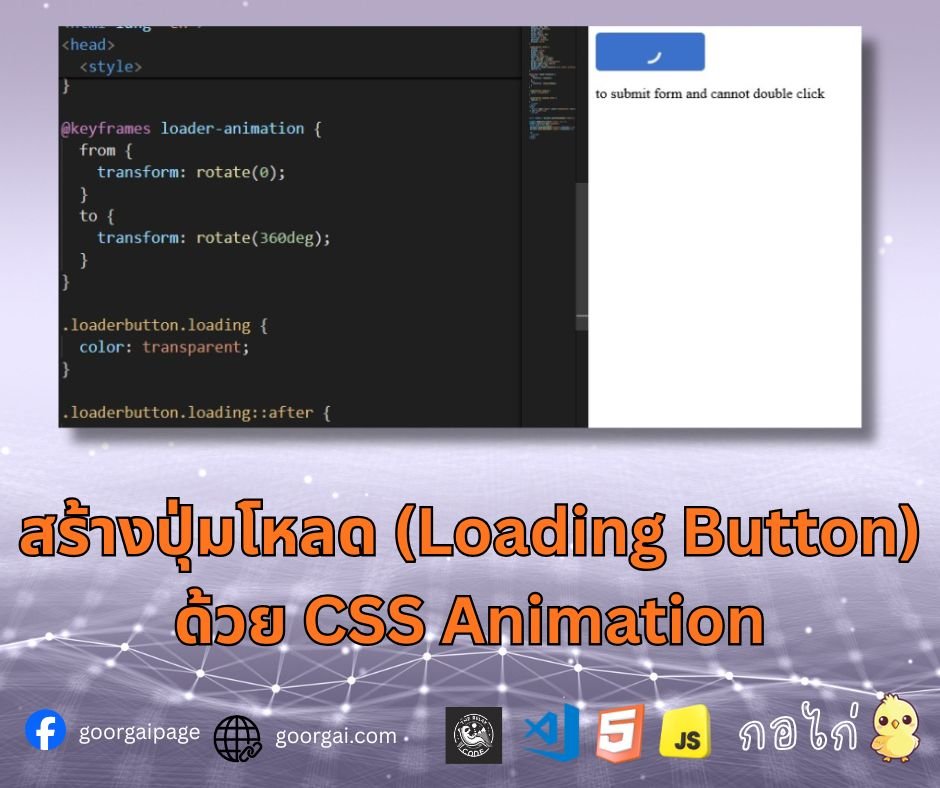
โค้ดนี้เป็นการสร้างปุ่มที่สามารถแสดงสถานะการโหลด (loading state) โดยใช้ pseudo-element (::after) และ CSS animation
โค้ด CSS.loaderbutton {
padding: 10px 30px;
background: #3b71ca;
border: none;
color: #fff;
border-radius: 5px;
cursor: pointer;
font-size: 1.2em;
position: relative;
display: block;
}
.loaderbutton::after {
content: '';
display: block;
width: 1.1em;
height: 1.1em;
position: absolute;
left: calc(50% - 0.75em);
top: calc(50% - 0.75em);
border: 0.2em solid transparent;
border-right-color: white;
border-radius: 50%;
animation: loader-animation 0.7s linear infinite;
opacity: 0;
}
@keyframes loader-animation {
from {
transform: rotate(0);
}
to {
transform: rotate(360deg);
}
}
.loaderbutton.loading {
color: transparent;
}
.loaderbutton.loading::after {
opacity: 1;
}<button type="submit" class="loaderbutton" id="submit" >Submit</button>
<p id="result"></p>const loadBtn = document.getElementById("submit");
loadBtn.addEventListener('click', () => {
loadBtn.classList.add("loading");
const time = new Date();
document.getElementById("result").innerText = "to submit form and cannot double click\n";
document.getElementById("submit").disabled=true;
});คำอธิบาย
.loaderbutton
- กำหนดลักษณะปุ่ม เช่น ขนาด padding, สีพื้นหลัง (#3b71ca), สีตัวอักษรขาว, border-radius ให้โค้งมน, และ cursor เป็น pointer
- ใช้ position: relative; เพื่อให้สามารถวาง pseudo-element (::after) อยู่ภายในปุ่มได้อย่างแม่นยำ
.loaderbutton::after
- สร้างวงกลมเล็ก ๆ ที่จะหมุนเป็นตัวบ่งบอกการโหลด
- ใช้ border แบบโปร่งใส แต่กำหนด border-right-color: white; เพื่อให้ดูเหมือนเสี้ยวหนึ่งของวงกลม
- กำหนดตำแหน่งให้อยู่ตรงกลางปุ่มด้วย left และ top ที่คำนวณจาก calc()
- เพิ่มการหมุนด้วย animation: loader-animation 0.7s linear infinite;
- เริ่มต้นด้วย opacity: 0; เพื่อซ่อนเอาไว้ก่อน
@keyframes loader-animation
- กำหนดการหมุนจาก rotate(0) ไปจนถึง rotate(360deg) เพื่อให้วงกลมหมุนต่อเนื่อง
.loaderbutton.loading
- เมื่อปุ่มอยู่ในสถานะโหลด จะทำให้ข้อความหายไป (color: transparent;)
- และทำให้ pseudo-element (::after) ปรากฏขึ้น (opacity: 1;)
CSS Tutorial
2025-12-11 00:42:36